

you may need


How to use 5ber.eSIM?
Step1
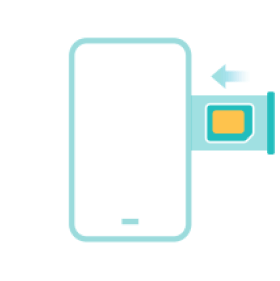
Insert 5ber eSIM Card
Plug the card into the SIM card slot of your device.
Step2
Download 5ber.eSIM App
Install the app and follow the instructions.

Step3
Download your eSIM
Scan the QR code of your eSIM and activate it via the app.

How to use 5ber.eSIM?
Step1
Insert 5ber eSIM Card
Plug the card into the SIM card slot of your device.
Step2
Download 5ber.eSIM App
Install the app and follow the instructions.
Step3
Download your eSIM
Scan the QR code of your eSIM and activate it via the app.


you may need
How to use 5ber.eSIM?
Step1
Insert 5ber eSIM Card
Plug the card into the SIM card slot of your device.
Step2
Download 5ber.eSIM App
Install the app and follow the instructions.
Step3
Download your eSIM
Scan the QR code of your eSIM and activate it via the app.